WordPress 7.0+, PHP 8.0+ WPForms, WP Store Locator
License
1 year · 1 live site plus dev & staging sites
Updates
In your WordPress dashboard
Works with
WPForms Lite or Pro
How it works
Store Forms & Appointments handles two jobs for your store locations and your forms. It fills a drop-down with all your locations and attaches the chosen store’s details to each request, and it limits appointment dates and times to that store’s hours.
You choose which forms use each of these. Special hours and holiday closures can be set for one location or all of them.
See it in action
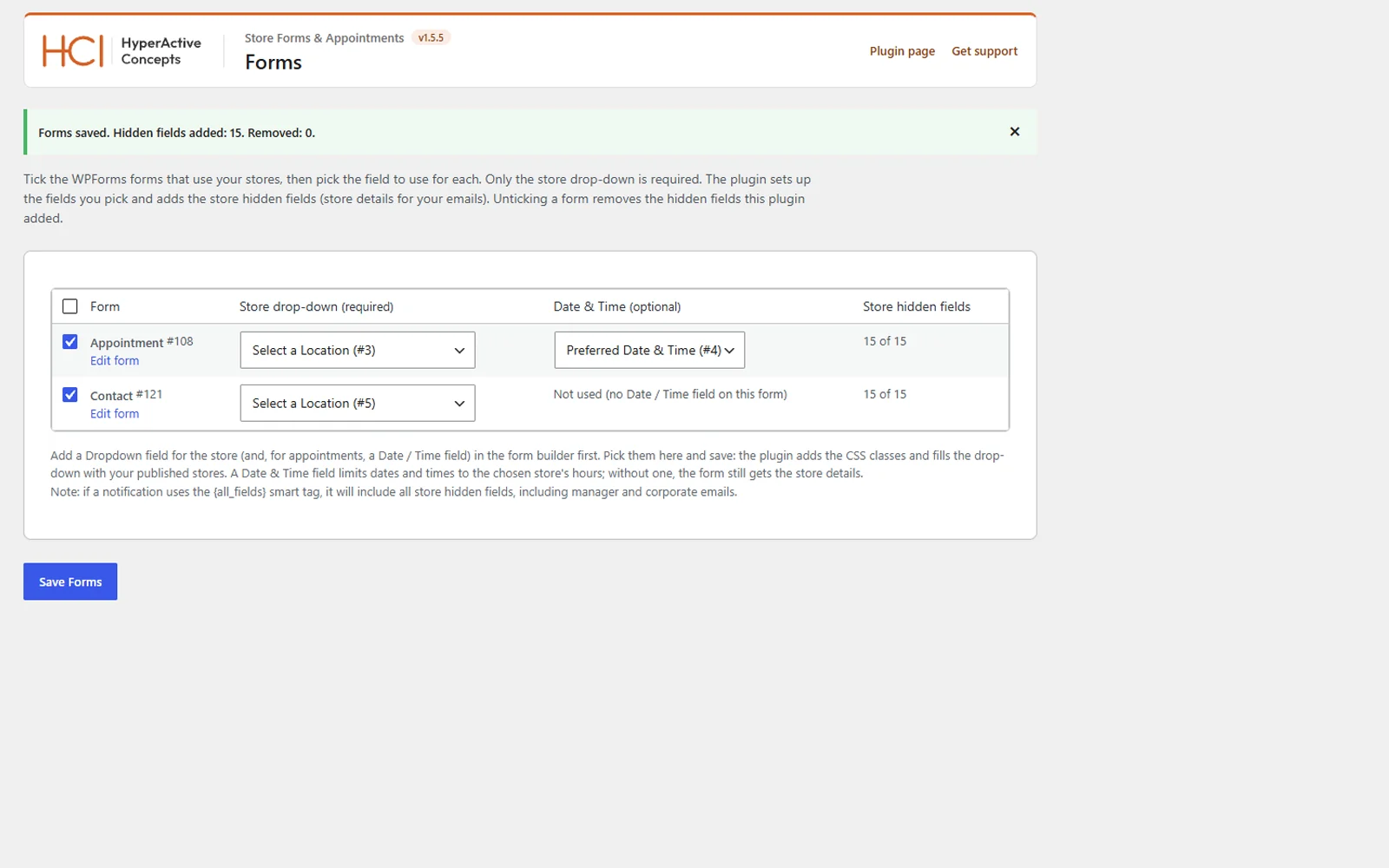
Pick the fields, no code. Store Forms lists the forms you have already created. Choose each form, the function you want it to use, and the drop-down field that holds the store locations.
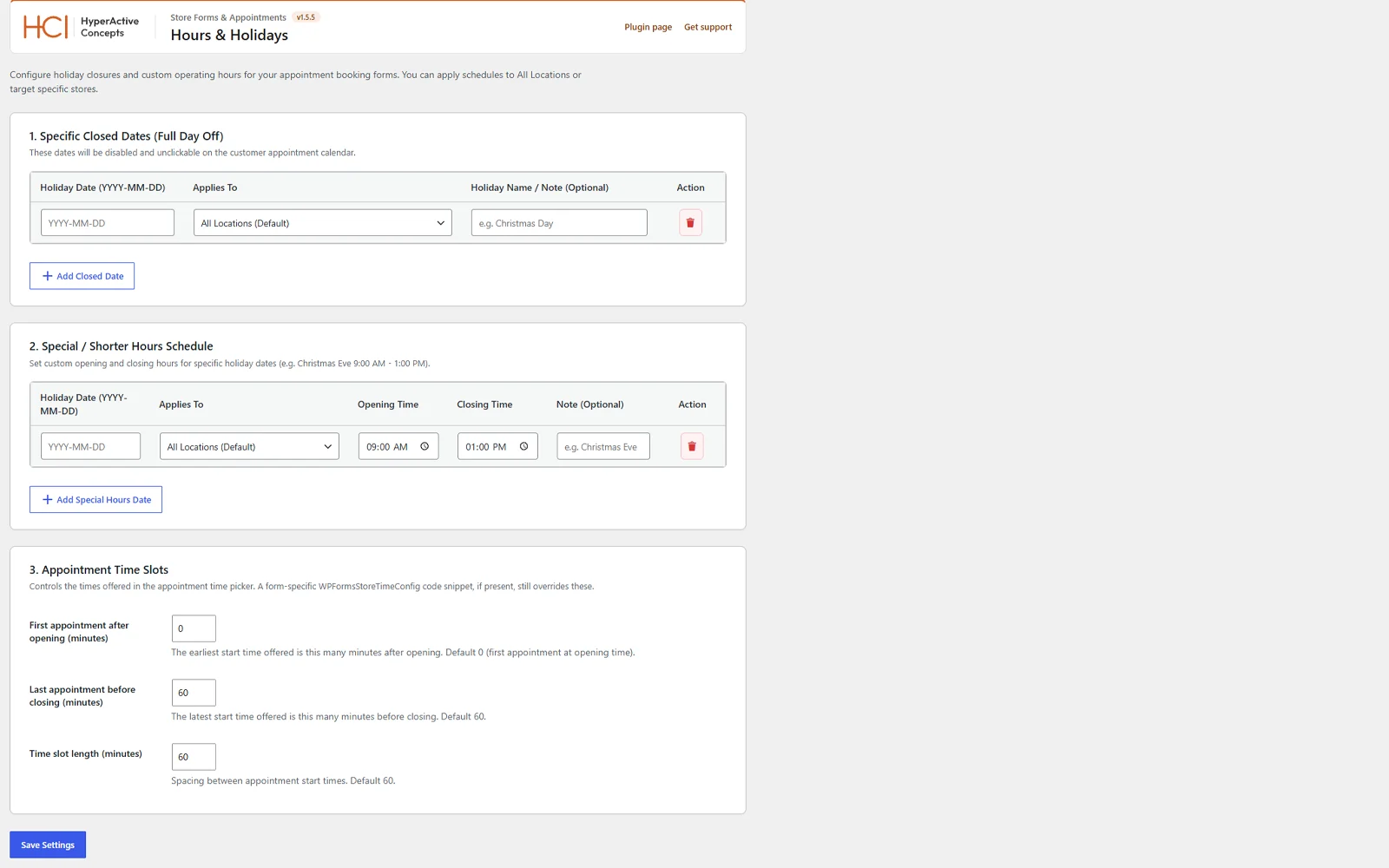
Holidays and special hours. Set closed days for one location or all stores, plus holiday or shortened hours for a specific day. At the bottom, set your appointment time slots, from the first appointment to the last.
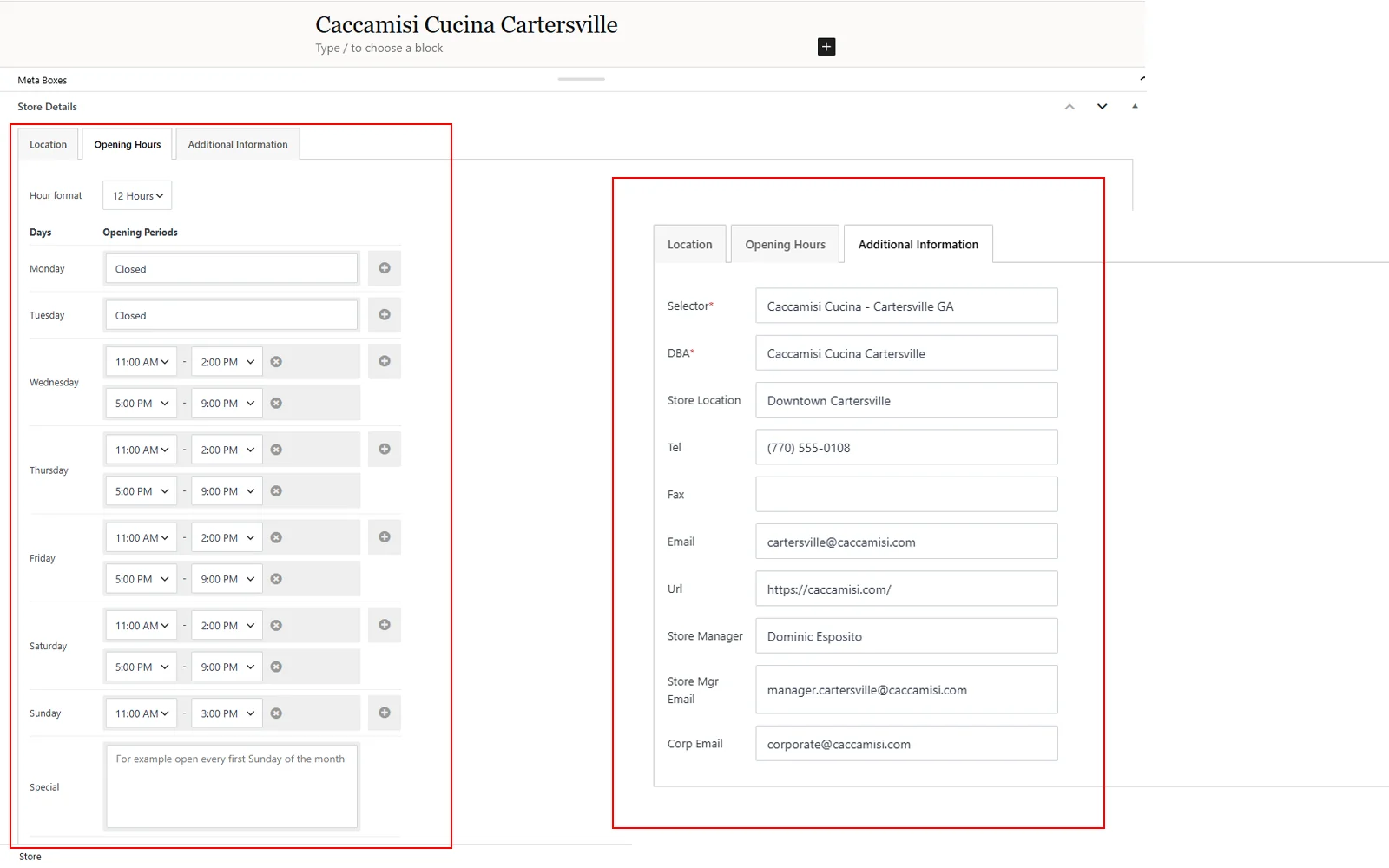
Each store’s hours and details. The store’s regular hours, plus the store fields the plugin adds (right). Everything about the selected store can go into your notification emails, and decides who receives them, from the store email to the store manager.
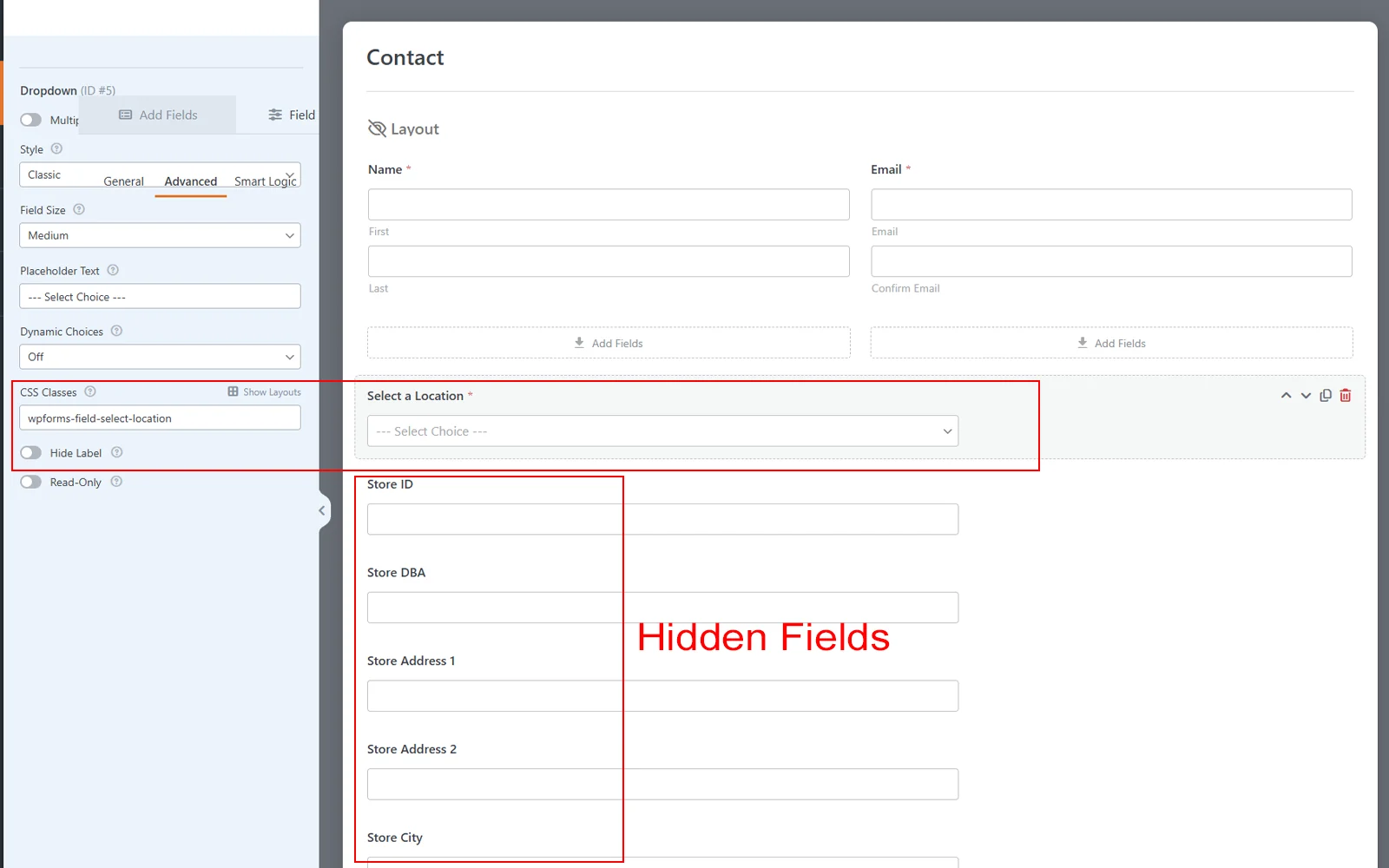
Store details added for you. The CSS class and hidden fields the plugin adds when you select a form under “Pick the fields, no code”.
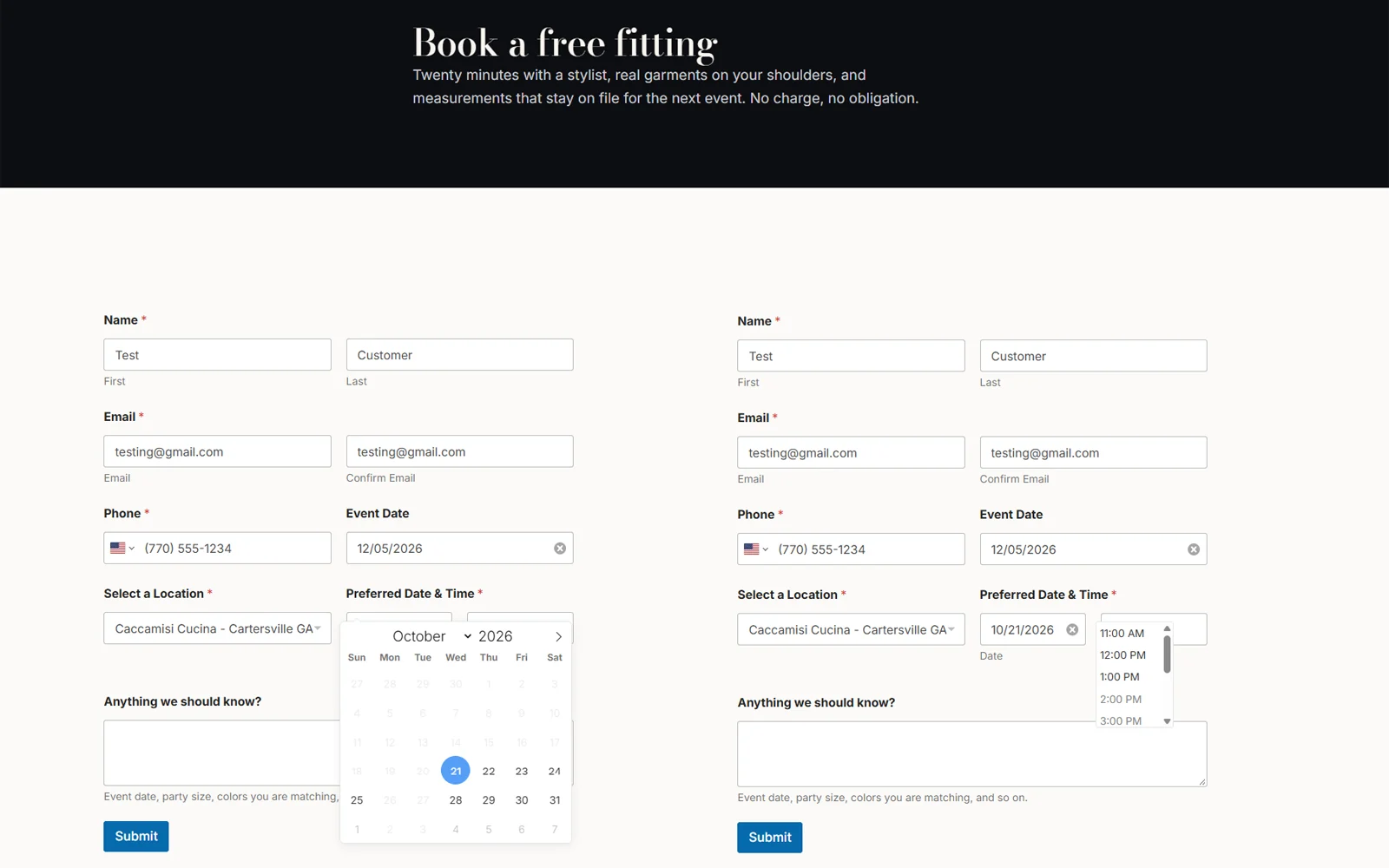
Only open days and times. An appointment form showing the dates and times available at the selected store. It all changes with your settings and the location the customer chooses.
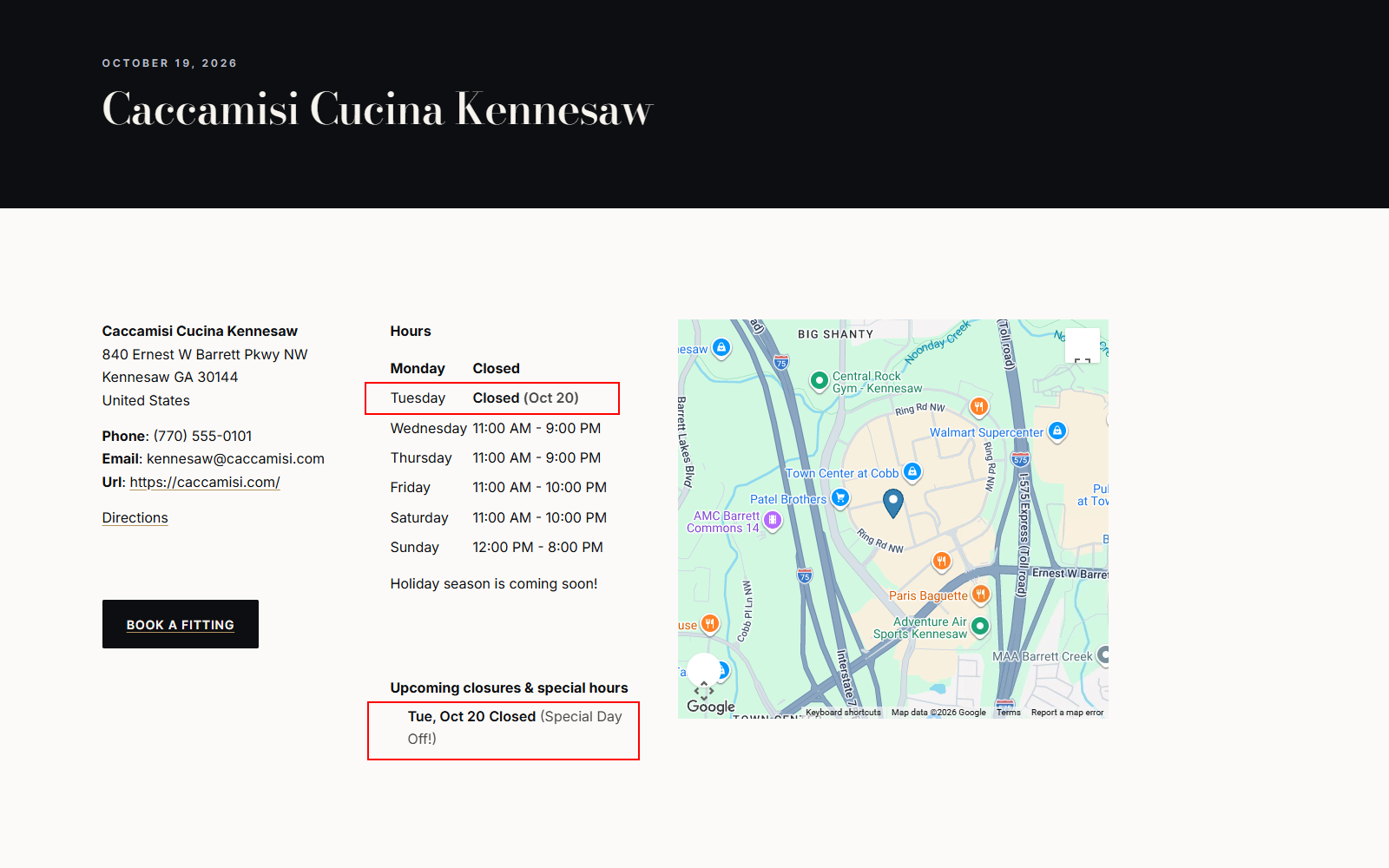
Closures shown on the store page. Tuesday is normally a workday, but this location is set to close on October 20, 2026. That date overrides the store’s hours for this location only. Closures can be set for several dates and locations at once.
What it does
Store details fill in
Choosing a store fills in its name, address, phone and email, so every notification includes them.
Requests reach the right store
Send each request straight to that store’s manager using the store’s own email.
Times follow store hours
The date and time picker only offers days and times that store is open.
Holidays and special hours
Add closed dates and special hours for all locations or a single store.
Time slots your way
Set the slot length and the first and last appointment of the day.
Private details stay private
Manager names and emails are added on the server and never sent to the browser.
Technical details
Settings under the Store Forms menu: Hours & Holidays, Forms, Form Setup, Help and License.
Turn it on for each form under Store Forms → Forms. The store fields are added to the form for you.
The store drop-down lists every published store automatically.
Extra store fields (selector name, DBA, location, manager and corporate emails) are built in.
After changing hours, clear your page cache so visitors see the new times.
Add each day you are closed. For example, closed the 23rd through the 26th means four dates, set for all locations. On the 27th your regular store hours show again.