Hide Price & Cart Button lets you show products with or without their price and Add to Cart button. You decide by product category or by individual product, and you can replace the Add to Cart button with a link or your own text.
That means you can use WooCommerce to sell some products and simply show others, or use your whole store as a style gallery: every product on display, with no prices and no shopping cart.
It works well for rental stores, like the tuxedo shop in the screenshots below. Customers browse every style online, then book a fitting or visit the store instead of checking out.
See it in action
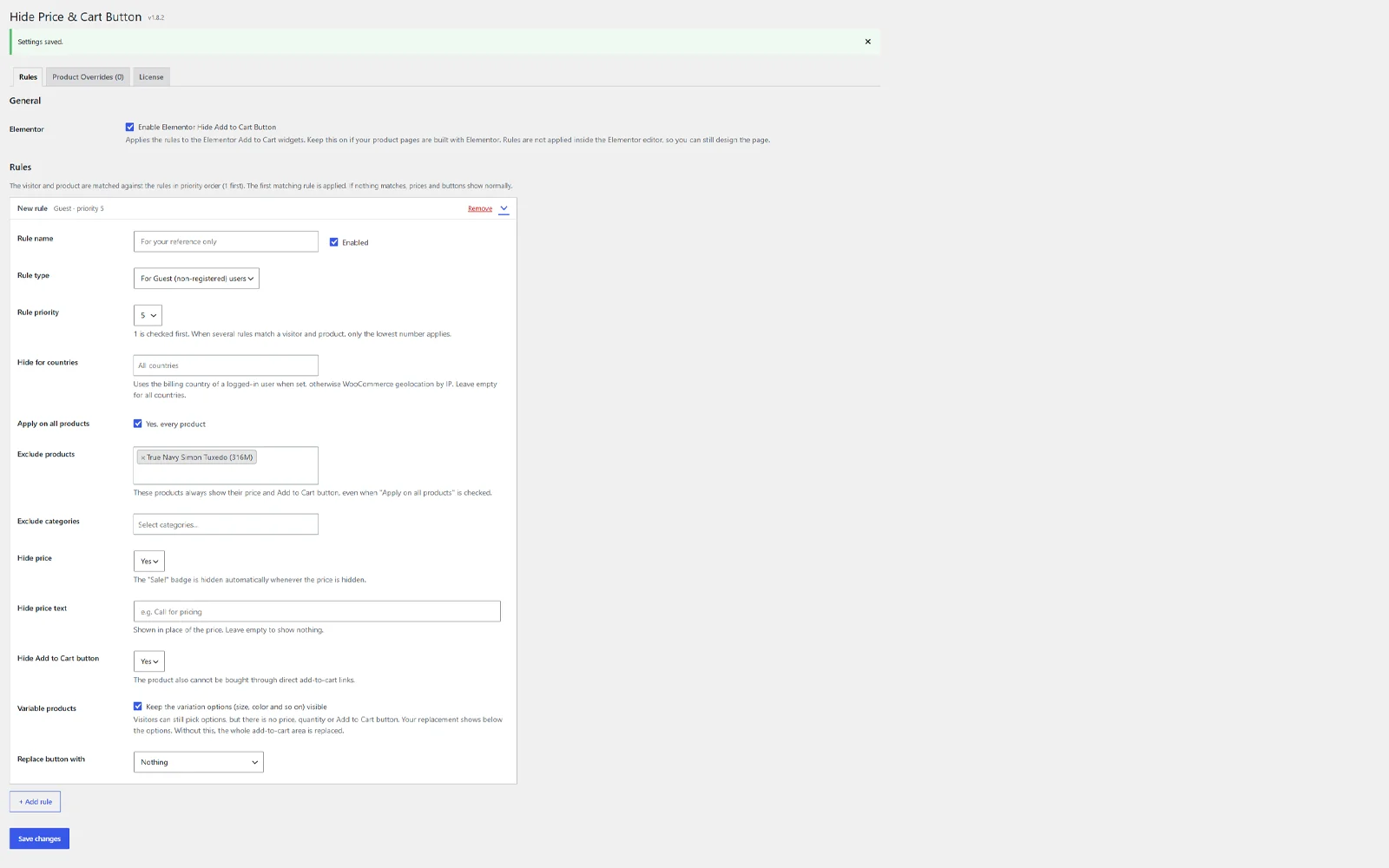
One rule does it. A Guest rule hides the price and Add to Cart button on every product in the store, except the True Navy Simon Tuxedo. You can create several rules for guests and logged-in visitors, set each rule’s priority, and even limit a rule to certain countries.
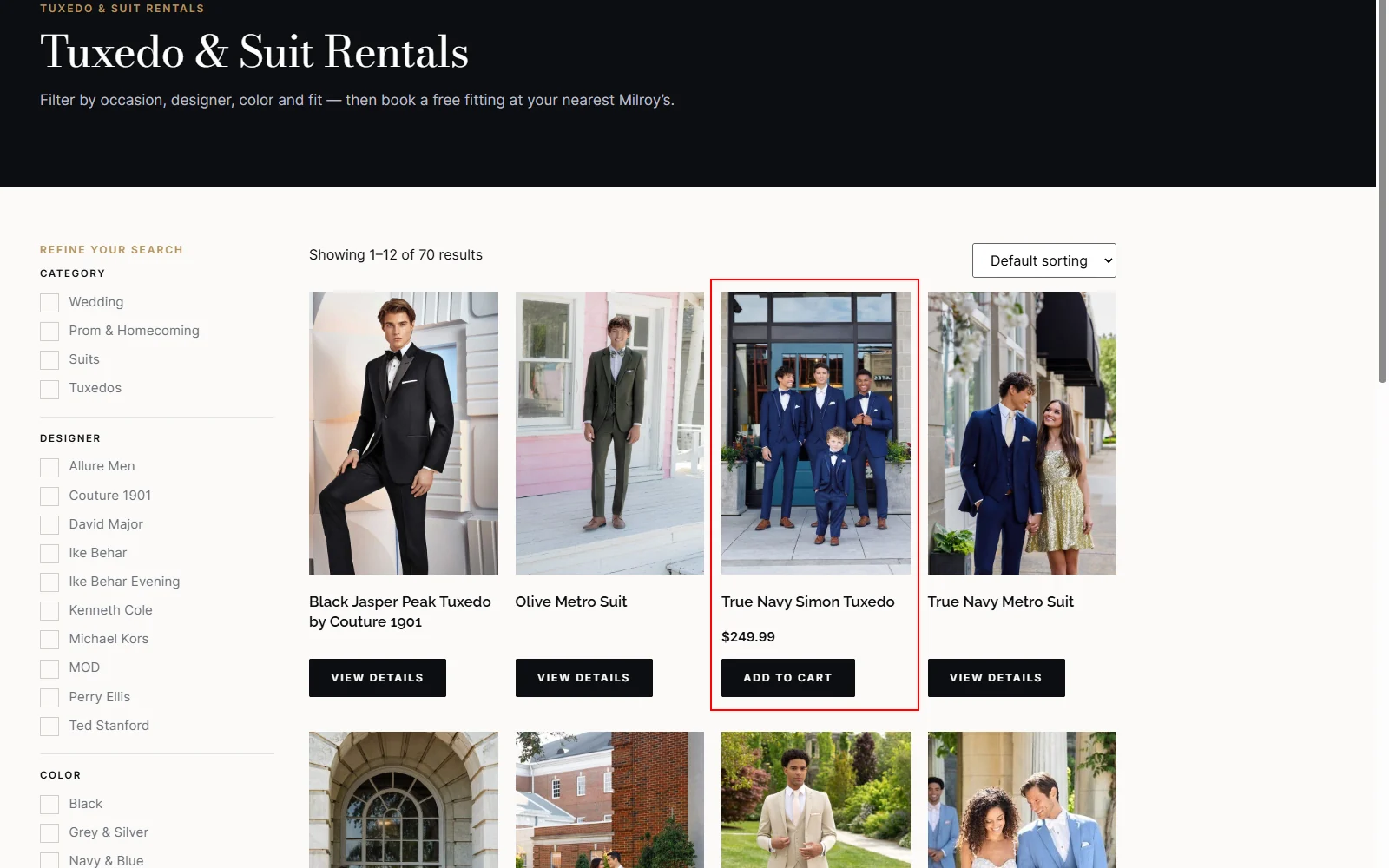
The shop page. On the Tuxedo & Suit Rentals category page, every price is hidden except the True Navy Simon Tuxedo, which the rule excludes.
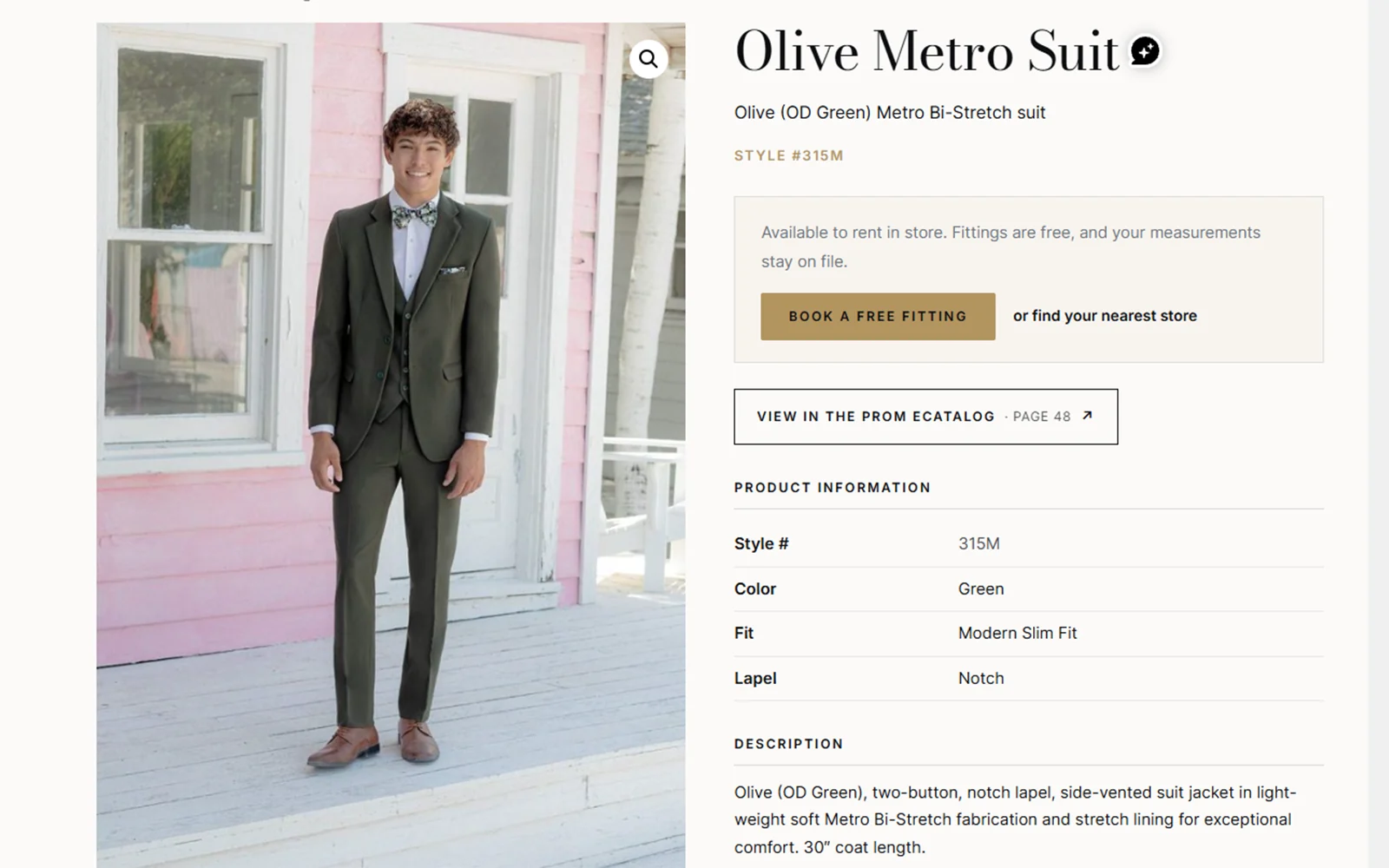
A product the rule covers. The Olive Metro Suit is not excluded, so it shows no price and no Add to Cart button. This store shows a Book a Free Fitting button in their place.
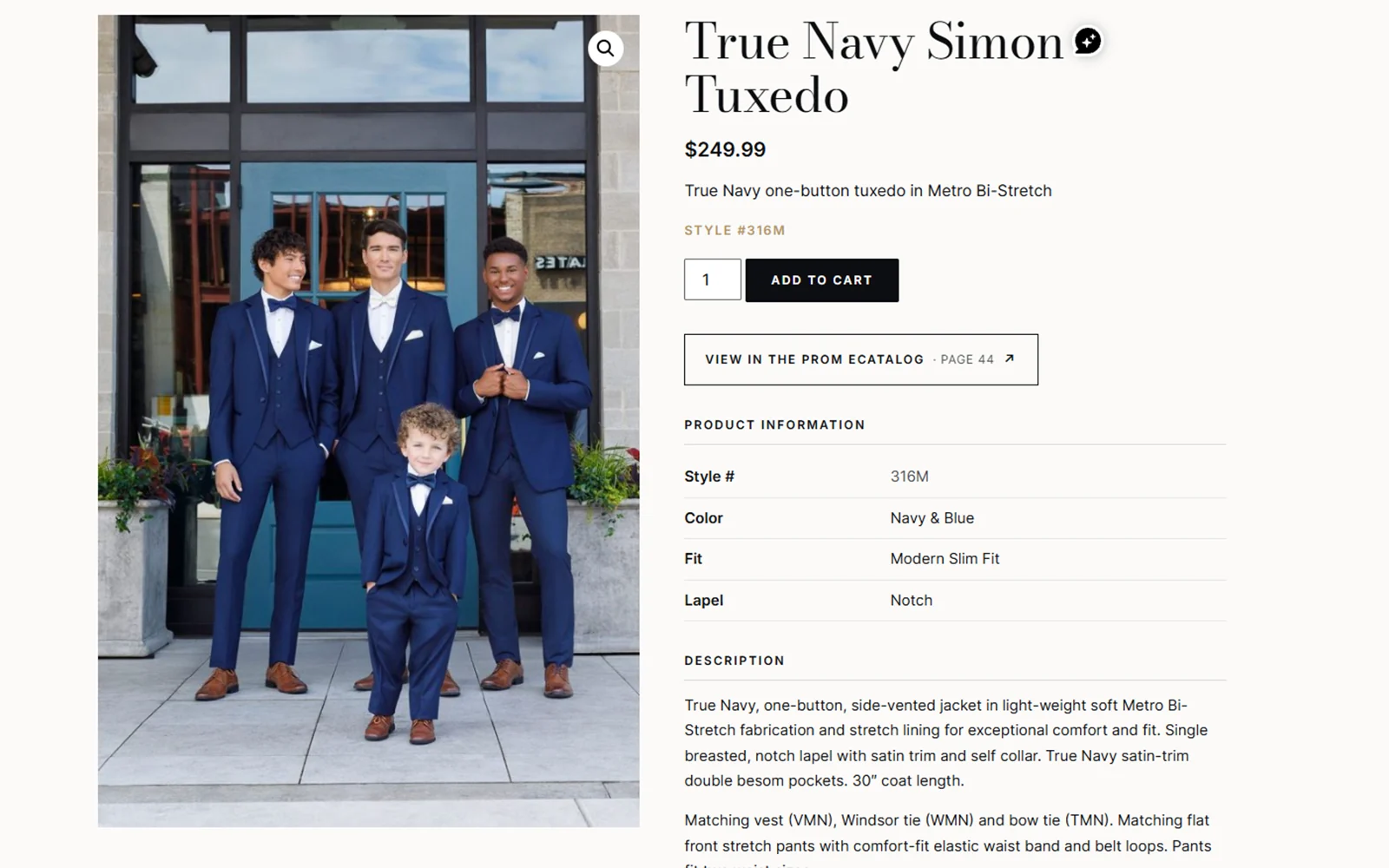
An excluded product. The True Navy Simon Tuxedo is excluded, so its product page shows the price and Add to Cart button as usual.
What it does
Rules by visitor
Separate rules for guests and logged-in customers, with user roles and countries.
Products and categories
Apply a rule to all products, or to chosen products and categories, with exclusions.
Your own replacement
Show text, a link button or a form in place of the price and button. Links can carry the product’s name or SKU.
Variation options stay
On variable products, size and color choices can stay visible while the price and button are hidden.
Per-product overrides
Mark a product to always show or always hide, and see every override on one screen.
No back-door purchases
Hidden products can’t be added to the cart through direct links, and the Sale badge hides with the price.
Technical details
Settings under WooCommerce → Hide Price & Cart Button, with Rules and Product Overrides tabs.
Rules have priorities; the first rule that matches a visitor is applied.
Country uses the customer’s billing country, or WooCommerce geolocation for guests.
Supports the Elementor Add to Cart widget.
If your host or a cache plugin caches pages, exclude shop and product pages so each visitor sees the right rule.
Yes. When you set up a rule, choose the countries it applies to. Visitors in those countries see no price or Add to Cart button. For logged-in customers the plugin uses their billing country; for everyone else it uses WooCommerce’s location lookup.
Yes. Rules can be set for guests or for logged-in customers, including by user role, so wholesale or registered customers can see prices and buy while everyone else browses.